Understand Software Migration Challenges: Hidden Modernization Costs
Vijay Vamja
3-4 mins
Legacy systems are the silent killers of agility. They anchor your business to outdated workflows, create security blind spots, and make integrating with AI or cloud tools nearly impossible. However, the decision to modernize is often met with hesitation. Why? Because the system migration process is notoriously complex.
It is not simply a matter of buying a new license and switching off the old server. It is a fundamental re-engineering of your business operations. To navigate this successfully, leaders must look beyond the sales brochure and confront the engineering reality of these six critical challenges.
1. Compatibility Issues: Escaping The 'Dependency Hell'
The most immediate technical hurdle in app or software modernization is the friction between yesterday's architecture and today's standards. Legacy applications often rely on a fragile house of cards: specific OS versions, deprecated libraries (like older PHP or Python versions), or hard-coded IP addresses.
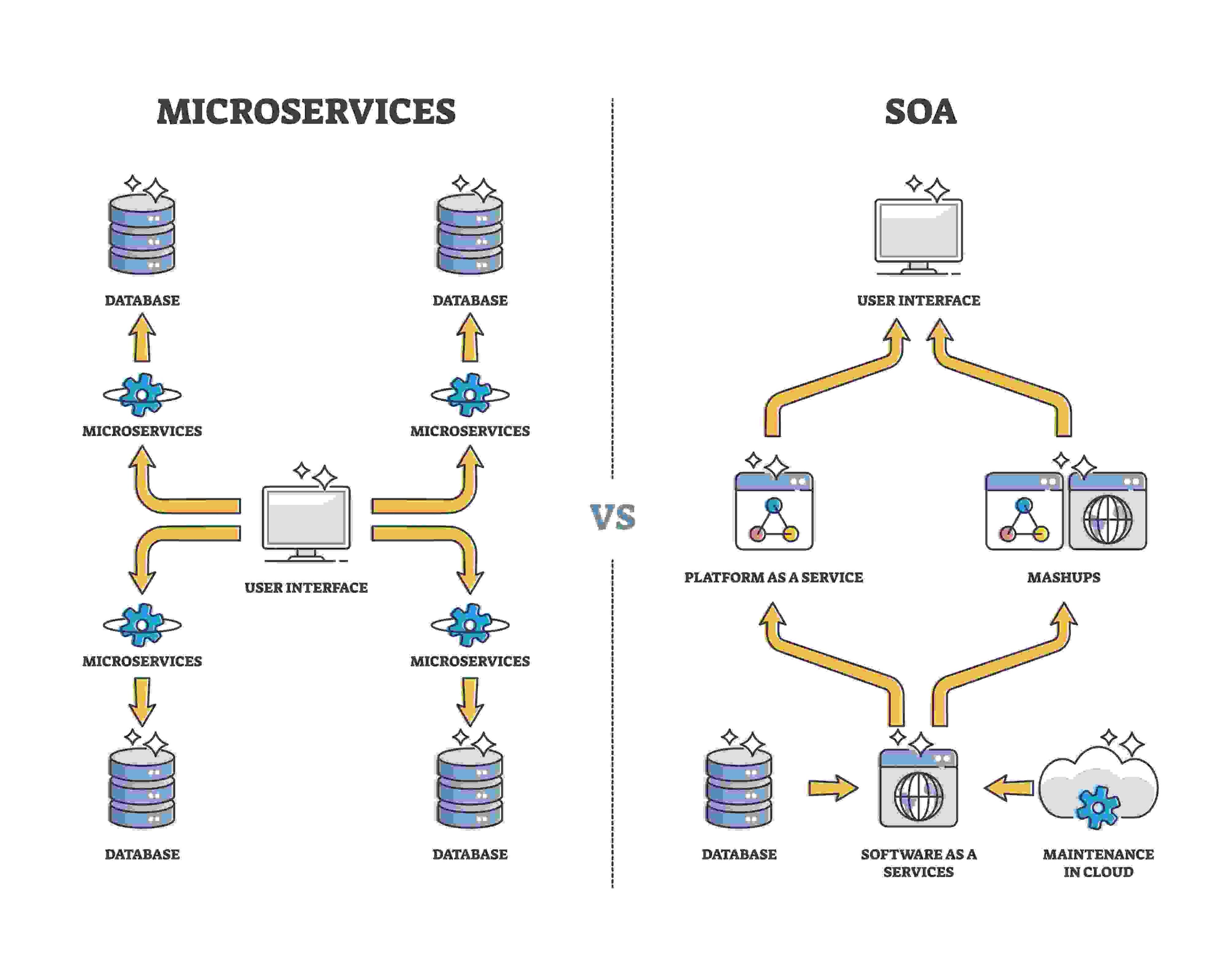
Addressing software compatibility is not just about fixing syntax errors, no. It mainly involves phenomena like 'Dependency Hell', where upgrading one library breaks three others.
For such challenges, moving from a monolithic on-premise setup to a containerized cloud environment (like Docker/Kubernetes) often requires significant refactoring. You aren't just moving code, you are usually the ones translating it.
2. Data Migration Complexity: The Integrity Nightmare
If software is the engine, data is the fuel. Siphoning that fuel from a rusty tank to a high-performance engine without spilling a drop is incredibly difficult.
Handling the transfer of large volumes of data securely is the highest-risk phase of the project.
- Format Mismatches: Your old database might store dates as text, whereas the new one demands ISO format.
- Dirty Data: Duplicate records and incomplete fields from 10 years ago can corrupt the new system instantly.
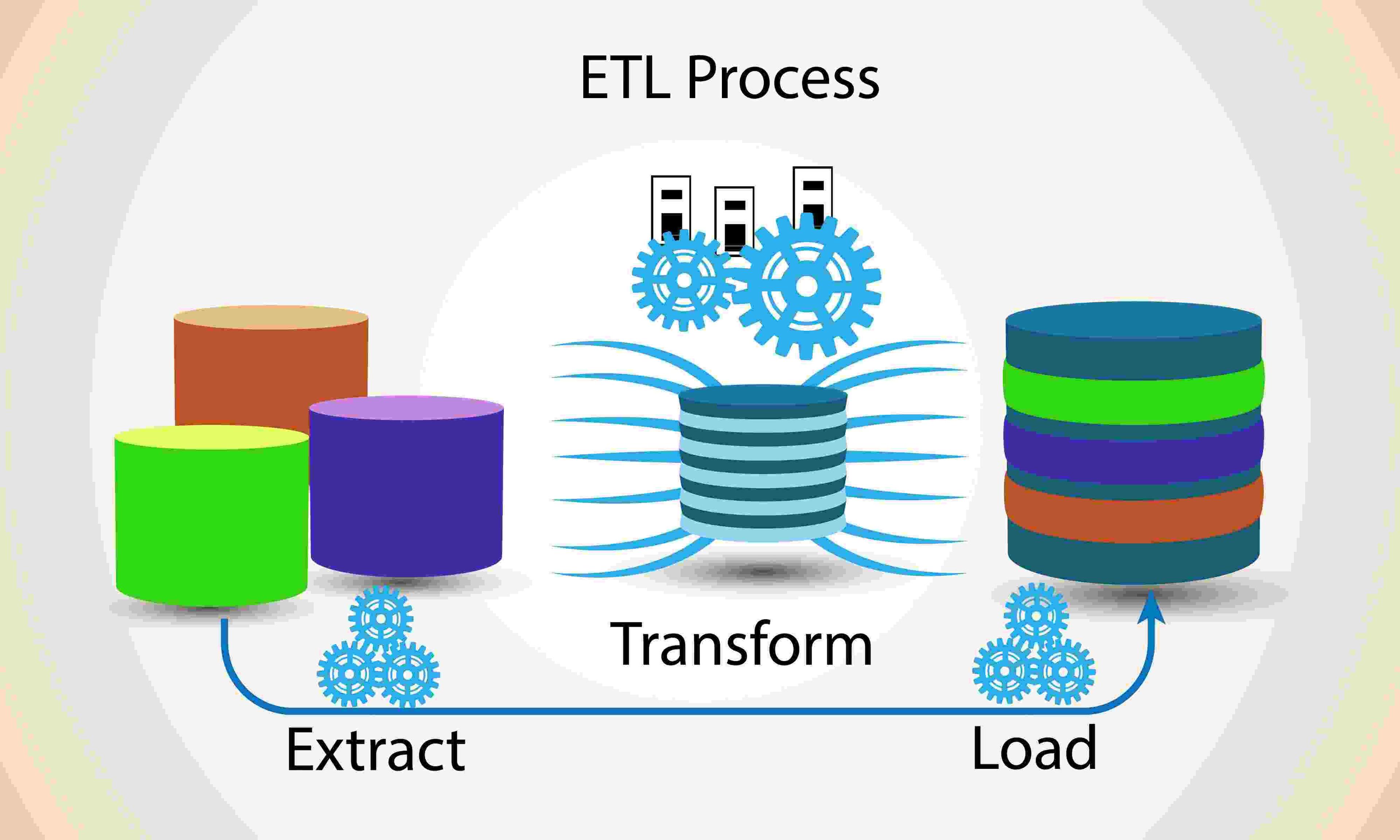
- The Fix: This requires a rigorous ETL (Extract, Transform, Load) strategy. You must scrub the data before it enters the new environment, or you are simply migrating your problems.
3. Integration with Existing Systems: The 'Spaghetti' Effect
Your new software does not exist in a vacuum. It must coexist with your CRM, ERP, payment gateways, and marketing tools.
Ensuring seamless integration with existing systems is often where timelines blow out, and the common worst-case scenarios can include the following.
- Legacy integrations are frequently undocumented 'spaghetti code.'
- You might shut down an old server only to realize it was hosting a critical script that the payroll system secretly depended on.
- And so on.
A successful migration requires a comprehensive audit of your API ecosystem to ensure the new software modernization & migration services you employ can rebuild these bridges before the switch is flipped.
4. Resource Allocation: The Iceberg of Costs
Most organizations budget for the license and the launch. They rarely budget for the 'stabilization phase.' Hence, allocating adequate time, budget, and skilled personnel is critical because migration is resource-intensive. It pulls your best engineers away from product innovation and into maintenance mode.
- The Hidden Cost: The 'Double Run.' You will likely need to pay for both the old and new systems simultaneously during the transition period.
- The Staffing Gap: Do you have internal experts on the new stack? If not, you are learning on the fly, which is a recipe for disaster. This is why partnering with dedicated teams (like MERN stack experts) is often more cost-effective than upskilling internally mid-project. For insights into migration timelines and costs, explore our Next.js migration roadmap.
5. Security Risks: The 'Vulnerability Window'
Data is never more vulnerable than when it is in transit. During a migration, strict security protocols are often temporarily relaxed to allow systems to 'talk' to each other or to move massive files quickly.
Mitigating security vulnerabilities during the migration process requires a DevSecOps mindset.
- Encryption in Transit: Data must be encrypted while moving, not just at rest.
- Access Control: Contractors and temporary staff often get elevated permissions during migration. If these aren't revoked immediately, they become long-term backdoors.
6. User Training and Adoption: The Productivity J-Curve
You can build the most sophisticated platform in the world, but if your users reject it, the project has failed. In such projects, training users to adapt to the new software interface is the definition of success, and not a 'nice to have.'
- The Reality: Productivity will drop initially. This is the 'J-Curve.'
- The Solution: Don't just send a PDF manual. Use sandbox environments where users can play with the new tool without fear of breaking anything. If you don't manage the human side of the change, users will find workarounds (like Excel sheets) to avoid using the new system.
Conclusion: The Partner Advantage
Software migration is a high-stakes operation. It demands a team that understands not just the code, but the business logic that relies on it.
Whether you are looking to refactor a legacy app into a sleek MERN stack solution or need comprehensive software migration services to move to the cloud, you need a partner who prioritizes architecture over speed.
Looking for an expert team to tackle software migration challenges? Let's Connect!
At Ciphernutz IT Services, we specialize in completing redundancy-backed modernization. From untangling legacy code to architecting secure cloud migrations, we ensure your data is safe and your business continuity is protected.
FAQs
Q. How do we prevent data corruption during the transfer process?
Data integrity is secured through a three-step validation protocol.
- First, in Pre-Migration Cleansing, legacy data is scrubbed of duplicates and formatting errors.
- Secondly, Checksum Validation during the transfer ensures the 'hash' of the data entering the new system matches exactly the data that left the old one.
- Lastly, for Post-Migration Sampling, automated scripts randomly test records (e.g., matching invoice totals against the old ledger) to ensure business logic remains intact.
Q. How much downtime should we expect during a system migration process?
With the right architecture, downtime can be near-zero. By utilizing strategies like Blue-Green Deployment (running the old 'Blue' environment and new 'Green' environment simultaneously), you can switch traffic instantly once the Green environment is verified. However, without such advanced strategies, a typical migration window might require 4–12 hours of planned downtime, usually scheduled during off-peak weekends to minimize business impact.
Q. What is the difference between Re-hosting (Lift and Shift) and Re-factoring?
This is a critical distinction in software modernization.
Re-hosting (Lift and Shift): Moving your existing application as-is to a new environment (e.g., physical server to cloud). It is fast and cheap, but it carries all your 'technical debt' with it and rarely utilizes cloud-native features like auto-scaling.
Refactoring: Rewriting significant portions of the code (e.g., breaking a monolith into microservices) to fully leverage the new platform. This takes longer and costs more upfront but delivers significantly higher ROI, performance, and scalability in the long run.
Q. How do we measure the ROI of a software migration?
ROI shouldn't just be measured by 'uptime.' A successful migration should be measured by:
- Maintenance Reduction: Drop in support tickets and dev hours spent on patching legacy bugs.
- Performance Velocity: Improvement in page load speeds or API response times.
- Scalability: The ability to handle peak traffic loads that would have crashed the old system.
- Feature Velocity: How much faster your team can ship new features now that they aren't fighting legacy code.