How to integrate n8n with EHR, Billing & Scheduling Systems
Vijay Vamja
3-4 mins
Introduction
When healthcare organisations attempt to streamline patient care, billing, scheduling and clinical operations, the biggest bottleneck isn’t the data, it's the workflows.
Legacy EHRs, invoicing platforms and scheduling systems often live in silos. The real pain point: systems that don’t speak to each other, manual tasks that drain staff time, and errors that creep in when workflows are disjointed.
Here’s the big truth: You don’t just need tools, you need real workflow automation that spans EHR, billing and scheduling seamlessly. That’s where hiring the right automation stack and experts makes all the difference.
By leveraging n8n for workflow automation and integrating it with your core healthcare systems, you can turn disjointed platforms into a cohesive, high-velocity engine for care delivery.In this article we’ll walk you through how to integrate n8n with EHR, billing and scheduling systems, the benefits, challenges and key steps so you can evaluate and implement with confidence.
Why Use n8n for Healthcare Workflow Automation
n8n empowers you to automate and orchestrate workflows across multiple systems, reducing manual overhead and increasing interoperability.
Key reasons:
- Node-based visual workflow builder gives non-developers and developers alike a clear view of process flows.
- The extensive integration ecosystem supports APIs, webhooks, databases and many SaaS tools, ideal for bridging EHR, billing and scheduling systems.
- Self-host or cloud deploy options help meet regulatory/compliance needs in healthcare.
- Works well with AI agent workflows and LLM integrations, enabling advanced automation beyond simple “if-then”.
When you opt for healthcare software development services that include N8n workflow automation, you’re not just automating, you’re transforming the way operations run.
Key Integration Scenarios: EHR + Billing + Scheduling
Below, we outline three major integration scenarios and how n8n can serve as the orchestration layer.
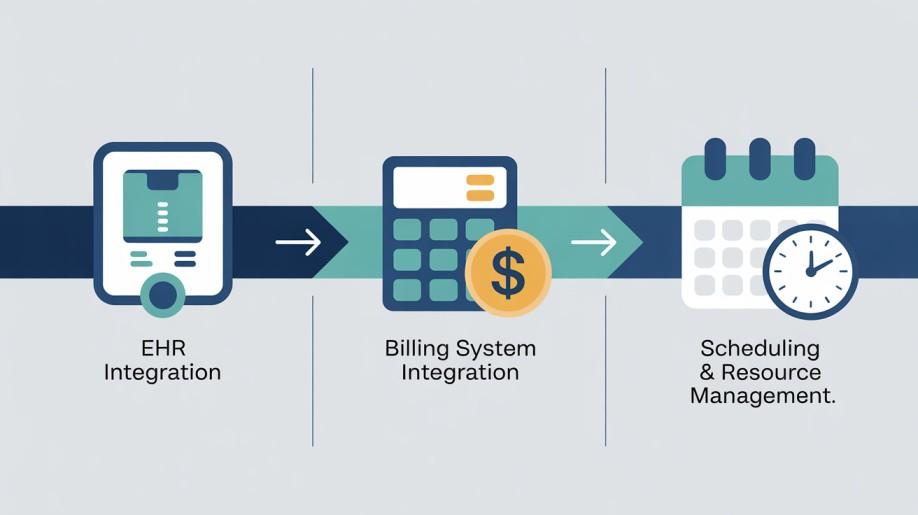
1. EHR Integration
Pain point: Many EHR systems (Epic, Cerner, Athenahealth) are isolated; extracting patient data, pushing it into other systems, or coordinating with external workflows is cumbersome.
Solution with n8n:
- Use n8n to trigger workflows when a new patient record is created or updated in the EHR.
- Extract key data (e.g., admissions, diagnoses, lab results) and route to downstream systems or notifications.
- Use AI agent integration to assess data (e.g., flag high-risk cases) and trigger scheduling or billing workflows.
Benefit: Real-time updates, fewer manual entries, and improved care coordination.
Explore detailed insights in our post on Integrating n8n with EHR Systems.
2. Billing System Integration
Pain point: Billing systems are frequently disconnected from clinical operations, causing delays, errors and compliance risk.
Solution with n8n:
- Trigger when a patient visit is closed in the EHR → automatically generates an invoice in the billing system.
- Automate payment reminders or insurance claim follow-ups via email/SMS.
- Use AI agents to audit billing codes or identify mismatches, reducing denials.
Benefit: Faster billing cycles, fewer claims rejected, improved revenue flow.
3. Scheduling & Resource Management
Pain point: Scheduling systems often operate independently of clinical workflows, creating mismatches in resource allocation and patient wait times.
Solution with n8n:
- Connect scheduling system API and EHR to update appointments automatically when clinical status changes.
- Automate reminders, follow-up sequences for no-shows or cancellations.
- Use n8n AI agent flows to predict no-show risk and proactively reschedule or alert staff.
Benefit: Better resource utilisation, fewer missed appointments, higher patient satisfaction.
Architecture Overview: How It Fits Together
Here’s a simplified architecture table showing how n8n plays a central role.
| Layer | System | Role of n8n |
|---|---|---|
| Data Ingestion | EHR, billing DB, scheduler API | n8n receives webhooks or polls for changes |
| Processing & Logic | n8n workflow engine | Coordinates data flow, triggers AI agents, decision logic |
| AI Agent Integration | LLMs, embeddings | n8n routes data to AI agents and handles results |
| Downstream Actions | Billing system, scheduler, notification system | n8n executes update, sends notifications |
| Monitoring & Audit | Logging, dashboards | n8n logs workflow steps, provides visibility |
This architecture supports a robust n8n AI agent integration strategy and underpins best-in-class N8n workflow automation services.
Step-by-Step Guide to Integrate n8n
Here’s how to get started in practice:
- Define your workflows: map each process: “patient admission → schedule appointment → bill visit”.
- Deploy n8n instance: choose cloud or self-hosted depending on compliance.
- Connect EHR and other systems: use webhooks or API polling in n8n.
- Build decision logic: include nodes for branching, error handling, and data transformations.
- Add AI agent capabilities: send data via HTTP request or custom node to an LLM or embedding service for scoring or classification.
- Automate actions: invoice creation, schedule updates, reminder triggers.
- Monitor & audit: set up logging, dashboards and error notifications.
- Optimize and iterate: track metrics such as workflow time, error rates, and adjust nodes accordingly.
Read our detailed blog on n8n Integration Guide
Benefits of Hiring n8n Experts
When you hire n8n experts, you gain more than just automation, they bring domain experience, healthcare compliance awareness, and integration know-how.
- Faster deployment with fewer mistakes.
- Higher reliability across mission-critical healthcare workflows.
- Ability to scale workflows as systems evolve.
- Access to custom connector development and complex AI workflows.
Opting for professionals gives you true return on investment, rather than “automation experiments”.
Common Challenges & How to Overcome Them
Some typical hurdles during integration:
- Data interoperability issues: EHRs may use HL7/FHIR; n8n workflows must translate effectively.
Solution: Build middleware or schema-mapping nodes. Read more: FHIR For Solving Digital Interoperability - Compliance / security concerns: PHI handling, audit logs and encryption are mandatory.
Solution: Use self-hosted n8n, encrypted storage, and secure webhooks. - System latency or errors in multi-step flows: Workflows span multiple systems and can fail.
Solution: Implement retry nodes, error branches, and logging dashboards. - Change management and adoption: Clinical teams resistant to workflow changes.
Solution: Provide training, clear UX improvement metrics, and incremental rollout.
Conclusion
As the healthcare industry moves toward smarter systems, the question is no longer “Should we automate?”’ it’s “How can we make automation intelligent?”
Integrating n8n with EHR, billing, and scheduling systems is more than an efficiency upgrade, it’s the foundation for data-driven patient care.
With AI agents, HIPAA-ready workflows, and modular app automation, healthcare organizations can move beyond operational chaos into scalable intelligence.
The best systems don’t just talk to each other, they think together. Hire AI agent developers who can help your healthcare platform automate, analyze, and act intelligently.
FAQs
Q1. What does it cost to hire n8n experts for healthcare automation?
Costs vary by scope, but expect engagement models for healthcare software development services to start in the tens of thousands of dollars, depending on complexity, compliance demands and system integrations
Q2. Can n8n integrate with any EHR system?
Yes, provided the EHR offers APIs or webhooks. n8n can act as the workflow layer, bridging legacy systems via middleware, HL7/FHIR mapping and custom connectors.
Q3. Is it safe to handle PHI with n8n?
Absolutely, but you must host appropriately, enforce encryption at rest and in transit, implement role-based access and audit logging. These are standard in healthcare software development services.
Q4. How quickly can we see results?
You can begin with small pilot workflows (e.g., appointment reminders or invoice triggers) in 4-6 weeks. Full system integration might take 3-6 months depending on scale.
Q5. What role does AI play in these workflows?
AI agents add decision-making, anomaly detection, predictive scheduling or billing risk scoring. When you combine n8n AI agent integration with workflow automation, you move from “automation” to “intelligent orchestration”.